Multiview Reconstruction
Multiview Reconstruction is the first working version of my RGB-D capture and COLMAP reconstruction workflow, written in 2025 for the agricultural robotics work: a capture loop for an Intel RealSense camera, a masking step that isolates the subject, a scripted COLMAP pipeline from feature extraction to a fused point cloud, and a viewer for the result. Around that chain I wrote two tools that the later version, VisRecon, grew out of: a database inspector that tells whether a reconstruction will register before the expensive stages run, and a converter that turns a single colour–depth frame into a point cloud. The code is under Apache-2.0.
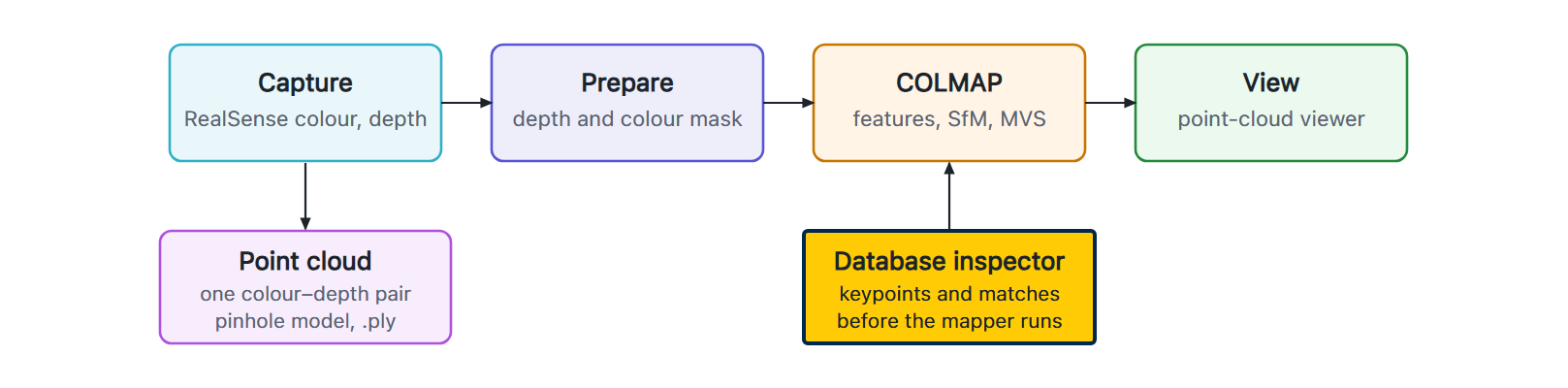
The workflow
The capture loop records aligned colour and depth frames from the RealSense as the camera is moved around the subject. Before anything reaches COLMAP, a mask built from depth and colour keeps what is close to the camera and matches the subject's colour, so the shelf, the neighbouring plants, and the room never enter feature matching. The COLMAP stages are scripted end to end—feature extraction, matching, sparse reconstruction, dense stereo, and fusion—so one command takes a directory of frames to a point cloud, and a viewer opens the result for inspection.
The database inspector
COLMAP keeps its features and matches in an SQLite database. I wrote a tool that opens it and prints two tables: the number of keypoints found in each image, and how many other images each image matched. Those two numbers decide the reconstruction before the mapper runs. An image with very few keypoints is out of focus, badly exposed, or masked down to almost nothing by a tight depth threshold; an image that matches few others will not register, and a run of them means the capture jumped and the baseline between consecutive frames became too wide. Running the inspector after matching and before the mapper turns a failure that would have surfaced after the sparse and dense stages—minutes to hours later—into one that is caught in seconds, with the image that caused it named.
RGB-D to point cloud
The converter turns one aligned colour–depth pair into a point cloud through a pinhole
camera model and writes it as a .ply. It preserves the 16-bit depth, sets the depth
scale explicitly to the RealSense Z16 stream's millimetre units, and orients the axes so the cloud
comes out the right way up. It is the quickest way to see what a single frame captured before
committing to a full multi-view run.